

Let’s cut to the chase and get to the meat of the matter.
You’re here because you want the best email outreach tool that helps you find verified contacts, send targeted emails, automate follow-ups, and manage your outreach campaigns.
But it’s not exactly a piece of cake, is it?
The market is saturated with so-called “best email outreach tools.” They market themselves so well that you only realize what actually works for you after buying the tool.
And by then, it’s too late. The tool fails to deliver, and you’re back to square one, starting the cycle all over again. Let’s end this problem at the root.
I’ve logged into leading email outreach tools across 3 categories. This guide will help you find the right fit for your outbound needs without wasting your precious time and money figuring it out.
So, why wait?
Let’s find the best email outreach platform for you.
TOC – Best Email Outreach Tools in 2026
- TL;DR: Top 3 Picks on Email Outreach Tools + Best Overall Across all 3 Categories
- What Are The Best Email Outreach Tools In 2026? (Compared By Use Case)
- How to Pick the Right Email Outreach Tool in 2026
- Your Next Big Deal Starts With the Right Outreach Tool
- FAQs Outbound Teams Often Ask Me About Email Outreach Tools
TL;DR: Top 3 Picks on Email Outreach Tools + Best Overall Across all 3 Categories
If you’re short on time, here’s the quick verdict.
I tested tools across three categories: cold email outreach, sales engagement, and email automation with prospecting. Here’s one winner from each, plus the best overall pick:
- Choose Saleshandy if you want an all-in-one outbound platform with 852M+ verified B2B contacts, unlimited email accounts, deliverability tools, and CRM features starting at $34/month. Best for sales teams and agencies scaling cold email outreach. (Best for Cold Email Outreach)
- Choose Apollo if you need a good prospect database with multichannel outreach across email, LinkedIn, and calls. Best for teams that want prospecting and sales engagement in one platform.
- Choose Snov.io if you need an affordable tool for finding, verifying, and reaching prospects through email campaigns. Best for individuals and small teams running simpler outreach workflows.
- Best overall: Saleshandy: It combines strong lead generation, cold email automation, deliverability, multichannel outreach, and great CRM capabilities in one platform without per-seat pricing.
Bonus: A quick table to get a glimpse of all the best email outreach tools.
What Are The Best Email Outreach Tools In 2026? (Compared By Use Case)
First, you need to understand that not every outreach tool works the same way.
Some are built purely for cold email. While others combine email with LinkedIn, calls, and tasks. And a few focus on finding leads first and sending emails second.
For your ease, I grouped these email outreach software tools by what they actually do best, so you can skip straight to the category that fits your workflow.
Best Tools for Cold Email Outreach
These tools are built for one thing: sending personalized cold emails at scale and making sure they land in the inbox.
If your main workflow is finding prospects, writing cold emails, setting up sequences, and managing deliverability, these are the tools I recommend.
I put them in this category because each one gives you the full cold email pipeline.
1. Saleshandy
G2: 4.6/5 ⭐ (810+ reviews)
Best For: Agencies and growing teams that want unlimited email accounts, strong deliverability, and AI-powered sequences at an affordable price.
Saleshandy takes the top spot for a reason.
It is a multi-channel cold outreach platform to deliver results from your campaigns.
Everything from its email infrastructure to deliverability tools is created with salespeople in mind.
Within the platform, it’s easy to launch cold email campaigns, even if you are doing it for the first time.
The platform handles all technical aspects on its own and helps land your emails in inboxes.
The best part? You get an AI Variant to create multiple versions of your emails. Plus, verified B2B leads and powerful analytics.
That means it has everything you need for cold emailing. This is why Saleshandy becomes your powerful all-in-one outreach partner.
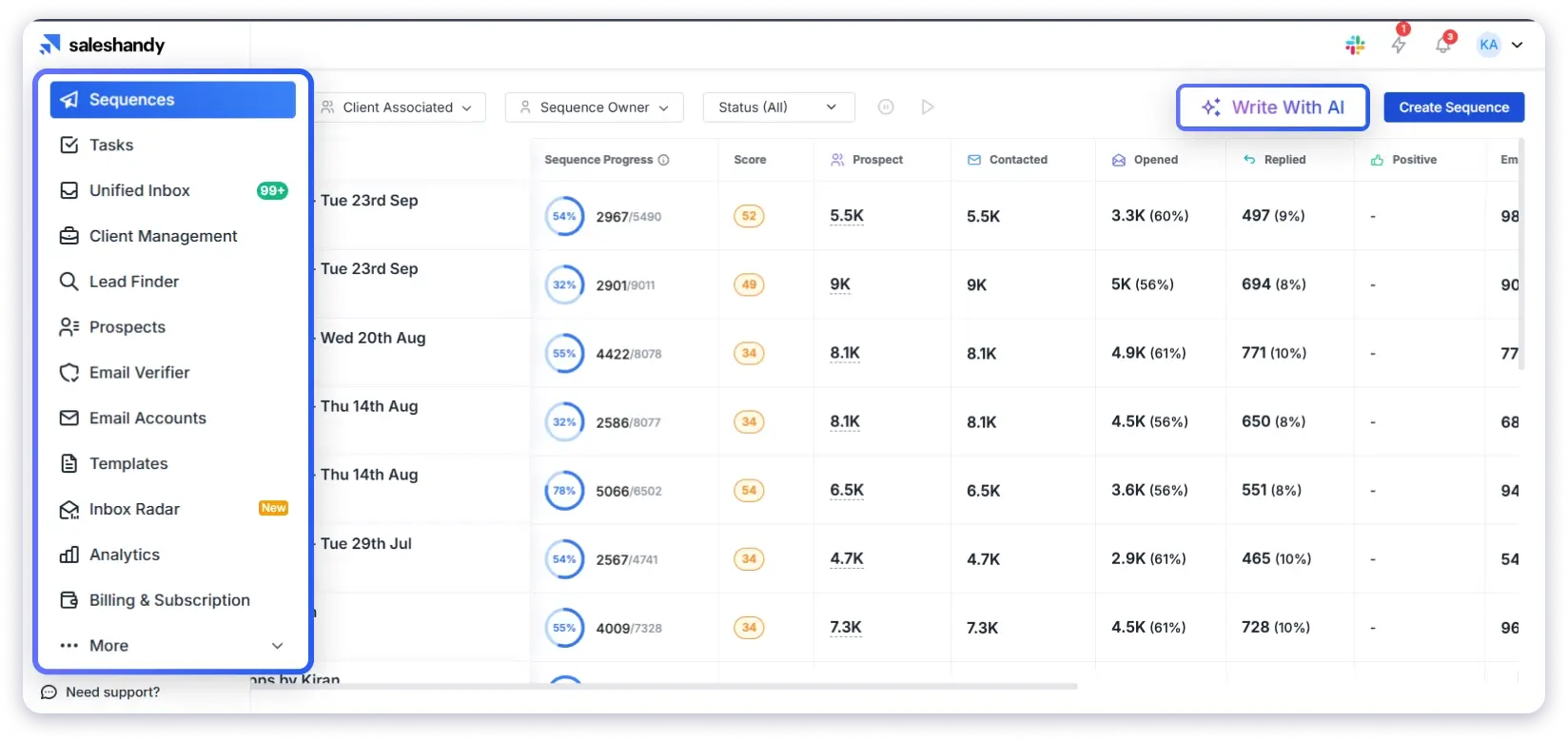
Why Do I Like Saleshandy
Saleshandy makes outreach easy and fast without losing quality.
The AI Sequence CoPilot builds ready-to-send email sequences within minutes.
You give it a short prompt, your website, and a list, and it takes care of the rest.
It analyzes your brand message, identifies your main value, and creates personalized subject lines and openers for every contact.
The AI Lead Finder adds another layer of power.
It finds verified leads with simple prompts, helping you build precise, accurate lists in no time.
Saleshandy gives a perfect balance between AI automation and human-like personalization.
🔔 New Feature Alert: AI Prospect Enrichment to help you send hyper-personalized cold emails.
Key Features
- Trigger-based sequences: Automate follow-ups based on how prospects reply to your emails.
- AI personalization: Create natural and unique email lines for every prospect in seconds.
- Deliverability suite: Maintain strong deliverability with unlimited warm-ups, inbox rotation, and bounce detection.
- AI lead finder: Find and verify new prospects instantly with AI-powered search prompts.
- Unified inbox: Manage and reply to all client conversations from a single, organized place.
- B2B database: Access 852M+ verified professional contacts and 42M+ company profiles, filtered by role, location, or industry.
- Analytics and reports: Track campaign performance with clear and simple visual reports.
- Integrations: Connect with Salesforce, Zoho, Pipedrive, or other tools through direct or API integrations.
Strengths
- Affordable pricing starting at $34/month (billed annually)
- It offers a white labeling solution to help agencies send and scale email outreach
- An easy-to-use and simple interface that makes campaign setup quick
- Use A/Z testing to find what works best and improve every sequence you send
- A built-in verification to get verified email addresses
- A LinkedIn Chrome extension to find verified emails/numbers from LinkedIn directly
- Connect your favorite tools easily through API, webhooks, or native integrations
- A quick and responsive support
Limitations
- The free trial is only seven days, which may not be enough for complete testing
Pricing
- Starts at $34/month (billed annually)
- In this, you get unlimited email accounts, 2,000 active prospects, 6,000 emails/month, 1,500 lead finder credits/month, and AI tools.
- Higher tiers: Pro at $76/month, Scale at $149/month
- 7-day free trial, 50 FREE Verified Leads, no credit card required
2. Instantly.ai
G2: 4.8/5 ⭐ (4,100+ reviews)
Best For: Individuals or small teams who want an easy way to start, warm up unlimited emails, and launch campaigns quickly.
Instantly.ai is an AI-powered cold email tool built for people who want speed and simplicity.
The platform allows you to launch, automate, and manage cold emails from the same platform.
You can connect unlimited accounts, warm them up, and create outreach campaigns in just a few steps.
It offers an appealing interface, easy setup, and strong deliverability. All of these make it one of the most user-friendly tools for outreach.
Whether you are a solo marketer or managing clients, Instantly.ai handles the heavy lifting.
So you only need to work on writing messages that convert.

Why Do I Like Instantly.ai
Instantly.ai brings both speed and intelligence to cold emailing.
Its AI Sequence Writer helps set up natural and engaging cold email campaigns.
You only give it a few details, and it understands your offer, tone, and target audience right away.
Its Deliverability Network keeps your emails landing safely in inboxes.
You can also track replies, manage contacts, and analyze performance through its built-in CRM.
If you like tools that are quick, smart, and reliable, Instantly.ai fits your requirements.
Key Features
- AI Sequence Generator: Writes full email sequences based on your business and offer.
- AI Inbox Manager: Sorts and replies to new messages automatically.
- AI Reply Agent: Reads incoming emails and responds to you.
- Inbox Rotation: Sends emails from different inboxes to keep your sending safe.
- Unified Inbox: Lets you view and reply to all emails in one simple space.
- CRM Integration: Connect it with your CRM to manage your cold email sequences.
Strengths
- It allows you to connect unlimited email accounts for outreach without any cost
- It offers a built-in CRM to manage outreach activities and track performance
- The platform enables website visitors to track leads
- It provides real-time enrichment across multiple data providers to deliver verified data
- You get a simple setup with a Done-For-You email infrastructure for agencies
- It even offers quick and reliable support via chat
Limitations
- Some users reported that the platform has a slight learning curve
- Most of its AI features are available in the Hypergrowth plan
- You can only add clients under the Hypergrowth plan, not from its starting plan
Pricing
- Growth plan starts at $47/month
- Includes unlimited email accounts, unlimited warm-up, 1,000 uploaded contacts, and 5,000 emails/month
- Higher tiers: Hypergrowth at $97/month, Light Speed at $358/month
3. Smartlead.ai
G2: 4.5/5 ⭐ (423+ reviews)
Best For: Businesses that need strong deliverability tools like SmartDelivery, SmartServers, and IP rotation, along with unlimited email accounts from the very first plan.
Smartlead is an AI-powered cold email tool to send and track cold email campaigns.
You can automate follow-ups, see live results, and connect with your favorite tools, including HubSpot and Salesforce.
Plus, you get features like SmartDelivery, SmartServers, and SmartSenders to improve deliverability.
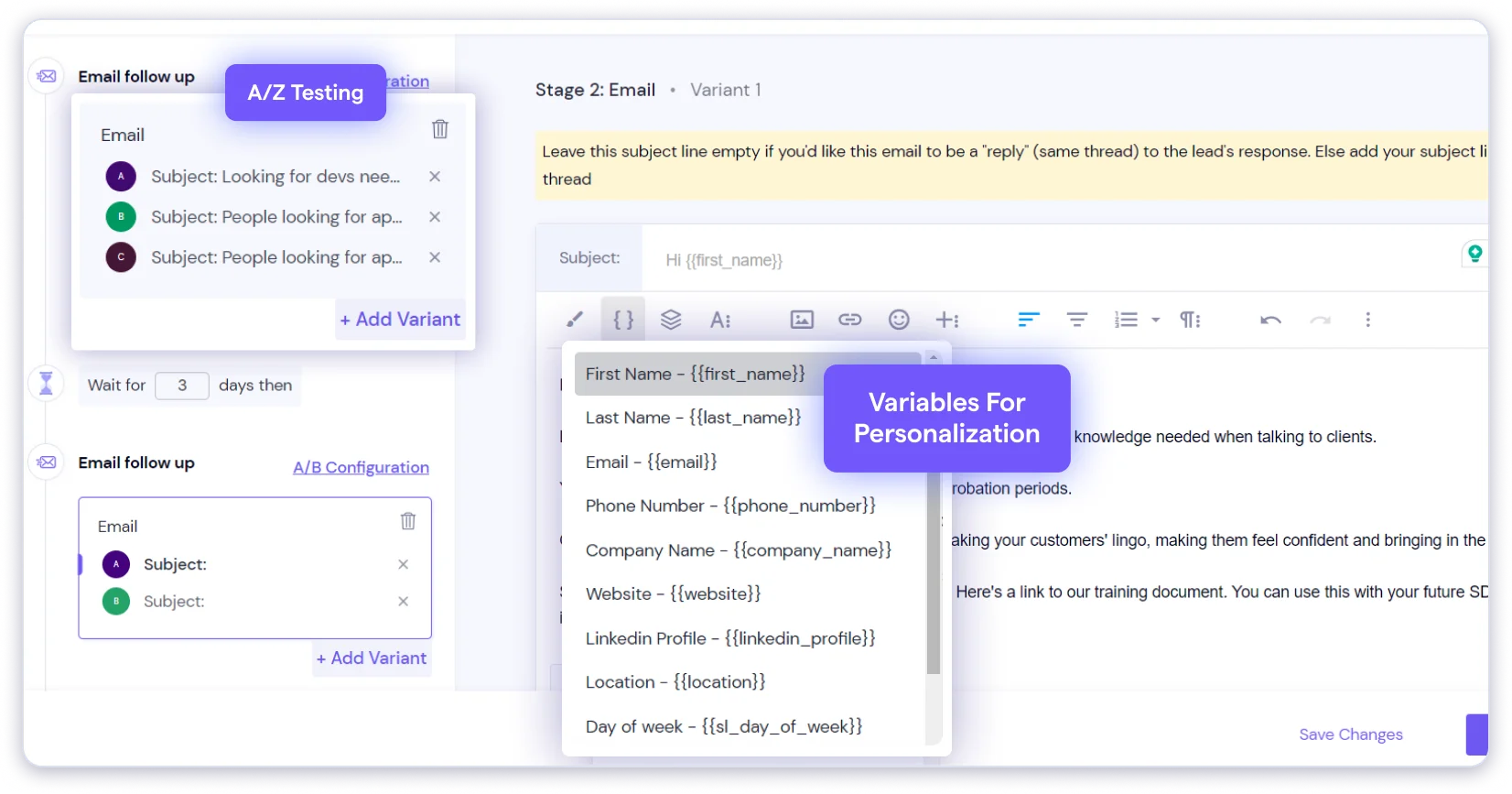
Why Do I Like Smartlead
I like Smartlead because it handles the entire email process from setup to results.
It balances speed and safety with AI warm-ups and dynamic IP rotation.
The unified inbox helps track every conversation without switching screens.
With analytics, client management, and reliable deliverability, Smartlead is a perfect fit for agencies and growing teams.
For me, it is one of the most dependable tools when managing multiple inboxes and clients.
Key Features
- Automated Campaigns: Create multi-step email sequences with smart triggers, automated replies, and follow-ups based on the prospect’s reply.
- Automated Email Warm-ups: Get AI-assisted email warmups to gradually build sender reputation.
- Unified Inbox: A single inbox to manage all replies from different campaigns.
- Multi-channel Outreach: You can set up multi-channel outreach that connects with LinkedIn and voicemails.
- Reporting: Get advanced insights into metrics like deliverability, engagement, bounce rate, and response management.
Strengths
- It offers a unified inbox that helps you see and reply to your emails from one place
- It has an easy-to-use and intuitive dashboard that helps to simplify the campaigns
- The AI-powered sequences, reply classifications, and task management are useful
- The pricing plans are affordable compared to the competitors
Limitations
- The customer support sometimes might take time to resolve your queries
- Most API, webhook, and integration features are available in higher-tier plans
- Some users have reported occasional bugs in automated warmup processes
Pricing
- Base plan starts at $32/month (billed annually) or $39/month (billed monthly)
- Includes 2,000 active leads, 6,000 monthly emails, unlimited warm-ups, dynamic IP addresses, and API access
- Higher tiers: Pro at $78/month, Smart at $144/month, Prime at $315/month (all billed annually)
4. Woodpecker
G2: 4.5/5 ⭐ (100+ reviews)
Best For: Users who want a simple and easy-to-use tool to run condition-based campaigns with free email verification for catch-all domains.
Woodpecker is an email outreach tool that helps you send, warm up, and track cold emails easily.
It checks SPF, DKIM, and DMARC before you send, warms up inboxes automatically, and even lets you add LinkedIn steps.
Agencies can run all client campaigns from one panel without worrying about deliverability or setup issues.
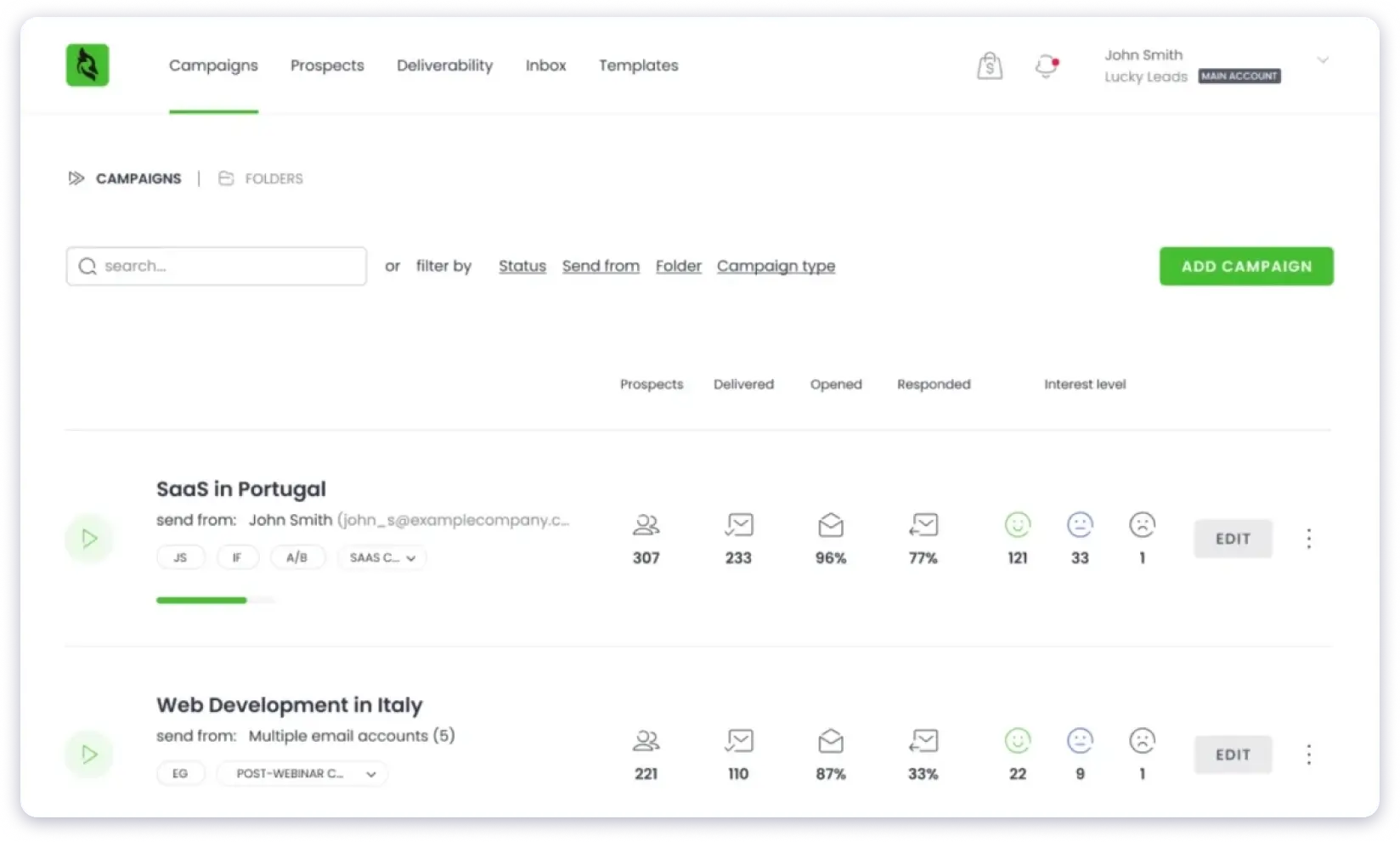
Why Do I Like Woodpecker
I like Woodpecker because it feels like a steady hand for cold outreach.
Adaptive Sending quietly protects your sender reputation by slowing down when you’re close to daily limits.
It gives you peace of mind knowing your emails will only land in inboxes.
At last, you get integrations with HubSpot, Zapier, and Calendly, and more, which ease all your efforts with third-party tools.
Key Features
- Automate Follow-ups: Send follow-up emails in the same thread automatically by setting up your desired follow-ups.
- Reply Detection: Automatically stops sequences based on the prospect’s reply to avoid deliverability issues.
- A/B Testing: Enables sending up to five email variations to optimize open rates and reply rates.
- Campaign Builder: Create a stepwise campaign with customizable sending schedules and actions based on triggers.
- Centralized Inbox: Get all replies to your campaign into one place for proper and easy management.
Strengths
- The platform integrates with all major email providers, including Gmail and Outlook
- The platform’s customer support is quick and helpful
- A LinkedIn Chrome extension that helps to find leads from websites and LinkedIn
- It’s a user-friendly platform suitable for small teams
- Its reliable email warm-up feature helps to improve deliverability when setting up new campaigns
Limitations
- It lacks advanced multi-channel outreach, such as LinkedIn or calling
- The reporting and analytics are limited and inconsistent
- The pricing is quite expensive when you scale
Pricing
- Starts at $24/month (billed annually) for 500 contacted prospects
- Includes 8,000 monthly emails, 2,000 stored prospects, 2 free warm-ups, and live chat support
- Pricing scales with the number of contacted prospects (usage-based model)
5. QuickMail
G2: 4.7/5 ⭐ (119+ reviews)
Best For: Teams that want to scale outreach, manage replies easily, and keep deliverability strong.
QuickMail is an email outreach platform to streamline cold emailing for teams and agencies.
You can assign replies, manage sequences, and automate every step without losing control.
Plus, the platform offers reply detection, auto-unsubscribe, and AI sentiment tracking.
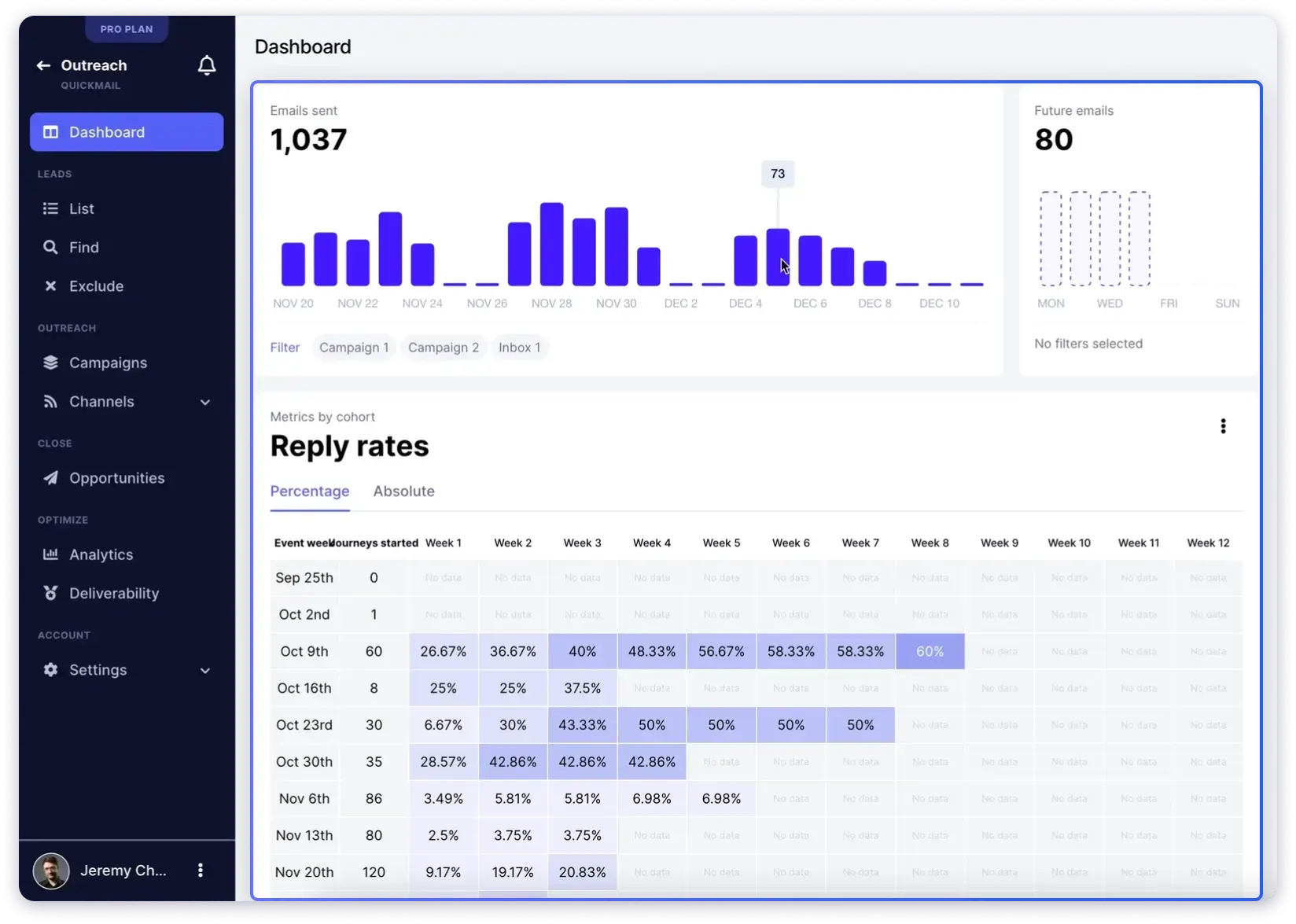
Why Do I Like QuickMail
I like QuickMail because it brings together everything a team needs for smart outreach.
It tracks every prospect interaction and adjusts follow-ups automatically.
The built-in AutoWarmer keeps your emails safe, and analytics show campaign results in real time.
For me, it is one of those tools that save time while keeping outreach precise and human.
Key Features
- Inbox Rotation: Rotate sending emails from multiple accounts to maintain proper sender reputation.
- Unibox: A centralized email box that helps you manage replies to all campaigns from one place.
- Workflow Automation: Get if-this-then-style automations triggered based on actions like follow-ups, unsubscribes, and lead rotations.
- Agency Portal: It allows multi-user support, agency dashboards, and granular permission controls to manage large teams.
Strengths
- The platform makes it easy to send high-volume emails up to 300K per month
- Its built-in warm-up feature monitors health and unmarked spam to improve inbox placement
- It supports integrations with LinkedIn, CRM, and multi-channel outreach platforms
Limitations
- The pricing is relatively higher for solopreneurs and small teams
- It comes with a steep learning curve due to its complex automation features
- Some users have faced occasional bugs in the UI and UX
- The customer support only offers live chat or email
Pricing
- Starter plan starts at $49/month
- Includes unlimited email senders, 1 LinkedIn account, unlimited users, and a free AutoWarmer
- Higher tiers: Growth at $99/month, Agency at $299/month
- 14-day free trial
Read here the QuickMail alternatives if you are looking a platform that offers affordable with more better features.
Best Tools for Sales Engagement
Sales engagement tools go beyond email. They combine cold email with LinkedIn outreach, phone calls, and task automation in one workflow.
I categorized these tools here because they are designed for teams that run multi-touch sequences across channels, not just email.
If your sales process involves connecting on LinkedIn, making calls, and sending emails as part of one cadence, these are your options.
6. Apollo.io
G2: 4.7/5 ⭐ (9,824+ reviews)
Best For: Teams that need a large prospect database along with built-in multichannel outreach and automation tools.
Apollo.io does prospecting and outreach work hand in hand.
As a sales intelligence platform, it offers access to 240M+ verified contacts from 30M+ companies worldwide.
You can build targeted lists easily with filters for industry, role, or region.
Once your list is ready, start campaigns through email, LinkedIn, or phone from the platform itself.
The best part?
AI Assistant feature helps personalize sequences, automate steps, and save time.
The only downsides are lower accuracy outside the US and higher costs when scaling.
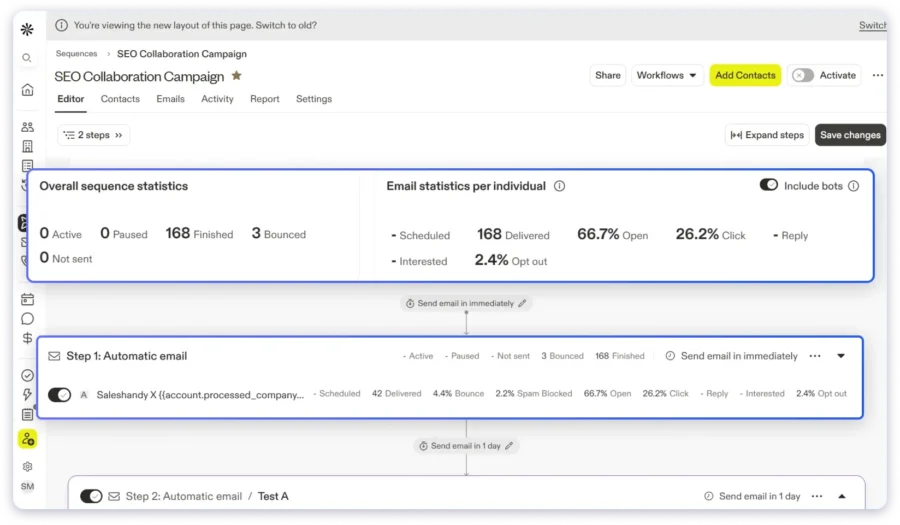
Why Do I Like Apollo.io
I like Apollo because it brings prospecting and outreach together without extra tools.
As you read, it offers a B2B lead database. You can filter by location, role, company size, or industry and get verified contacts within seconds.
The AI-assisted sequence builder is another advantage.
It helps you create personalized email and LinkedIn sequences quickly and manage them in one clean dashboard.
If your goal is to reach the right people faster and automate your process, Apollo is a smart pick.
Key Features
- AI Personalization: Write and send tailored messages that match your audience.
- Sequence Automation: Automate outreach through email, LinkedIn, and phone calls.
- Workflow Automation: Allows you to manage, prospect, outreach, and follow-ups in one system.
- Integrations: Connect easily with tools like HubSpot, Salesforce, and Pipedrive.
- Analytics and Insights: Track engagement and campaign performance in detail.
Strengths
- The platform offers a LinkedIn Chrome extension to find leads quickly
- It has a live database that gets refreshed in real-time
- The customer support of Apollo is reliable and quick for resolving queries
- The platform is easy to use, quick to learn, and offers interactive interfaces
- It also has built-in CRM and an opportunity for lead management
Limitations
- The pricing is credit-based, so it might add up to be costly while scaling
- The phone number and enrichment credits cost extra, which increases the pricing
- Some users have reported that its auto-renewal and billing policies are occasionally frustrating
Pricing
- Basic plan starts at $49/seat/month (billed annually)
- Includes 30,000 credits/year, unlimited sequences, AI Assistant, email warm-up, and email deliverability tools
- Higher tiers: Professional at $79/seat/month, Organization at $119/seat/month (min. 3 seats)
- Free plan available with 900 credits/month
Read Apollo.io alternatives to find the best cold email outreach + lead finding tool at affordable pricing compared to this platform.
7. Lemlist
G2: 4.6/5 ⭐ (2,083+ reviews)
Best For: Sales teams that want to run personalized multichannel outreach campaigns with custom pages and interactive images.
Lemlist is a smart outreach tool built for people who like to keep things creative.
It offers multi-channel outreach, which means you can connect via email, LinkedIn, WhatsApp, and even phone calls.
The best part is its Campaign Builder.
It shows your entire outreach flow like a visual map, which makes planning and managing sequences easy to follow.
Lemlist really stands out for its personalization.
You can add custom text, images, landing pages, and even video thumbnails.
All these make your cold email interesting and make it look personalized.
It is a perfect email outreach tool for all your requirements to get started in cold emailing.
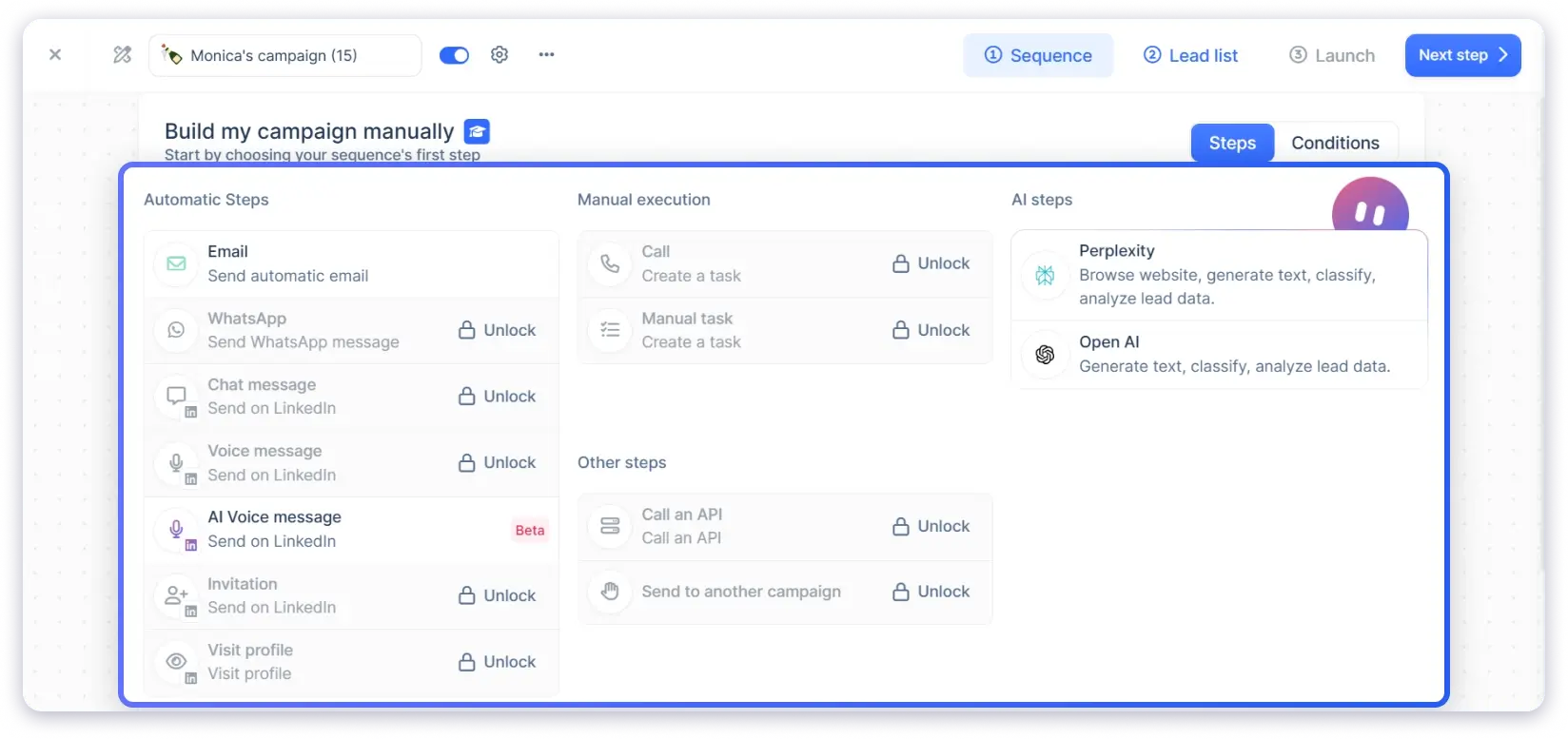
Why Do I Like Lemlist
I like Lemlist because it makes outreach feel alive.
It gives you room to experiment with formats, test ideas, and build genuine connections.
You can email, LinkedIn, and call sequences from one clean dashboard without jumping between tabs.
However, Lemlist could do better in deliverability.
It only includes basic features like warm-up and inbox rotation.
The Cockpit tool is helpful for agencies, but managing several clients quickly increases the cost.
Key Features
- Advanced Filters: Use filters like location, size, role, company name, and more to find leads that match your ICP
- Waterfall Enrichment: Enrich your leads that fit your ICP, get verified emails, phone numbers, and other details.
- AI Sequences: Generate personalized and targeted messaging for your cold email campaigns.
- Trigger-based prospecting: Use prospect behavior triggers to automate sending the right messages at the right time.
- Workflow Automation: This feature allows you to automate the entire process from finding leads to sending personalized cold emails.
Strengths
Strengths
- It offers a powerful multi-channel outreach
- It has a built-in B2B lead database and enrichment to find accurate contact details
- The platform offers native CRM integrations and also supports Zapier
- AI-led personalization features to draft hyper-personalized emails
- It offers a Unified inbox for all outreach channels
Limitations
- The pricing is expensive for small businesses
- It has a learning curve to understand campaigns and reporting, especially for new users
- To add more email accounts, you need to pay around $9 per month
Pricing
The Email Pro plan starts at $55 per user per month when billed annually.
It includes automated outreach, unlimited follow-ups, AI-powered personalization, and deliverability tools like inbox rotation and warm-up.
You also get access to a 650M+ lead database, 1,000 monthly enrichment credits, and integration support.
Bonus read if you are looking for cost-effective Lemlist-like tools. Go through this Lemlist competitors listicle blog post.
8. Klenty
G2: 4.6/5 ⭐ (380+ reviews)
Best For: Teams starting with cold emailing and planning to expand into multichannel sales engagement.
Klenty is an AI-powered outreach tool built for modern sales teams.
It combines cold emailing, multi-channel workflows, and AI-based research into one platform.
With deliverability tools, account research, and ICP-based targeting, you can run smart campaigns.
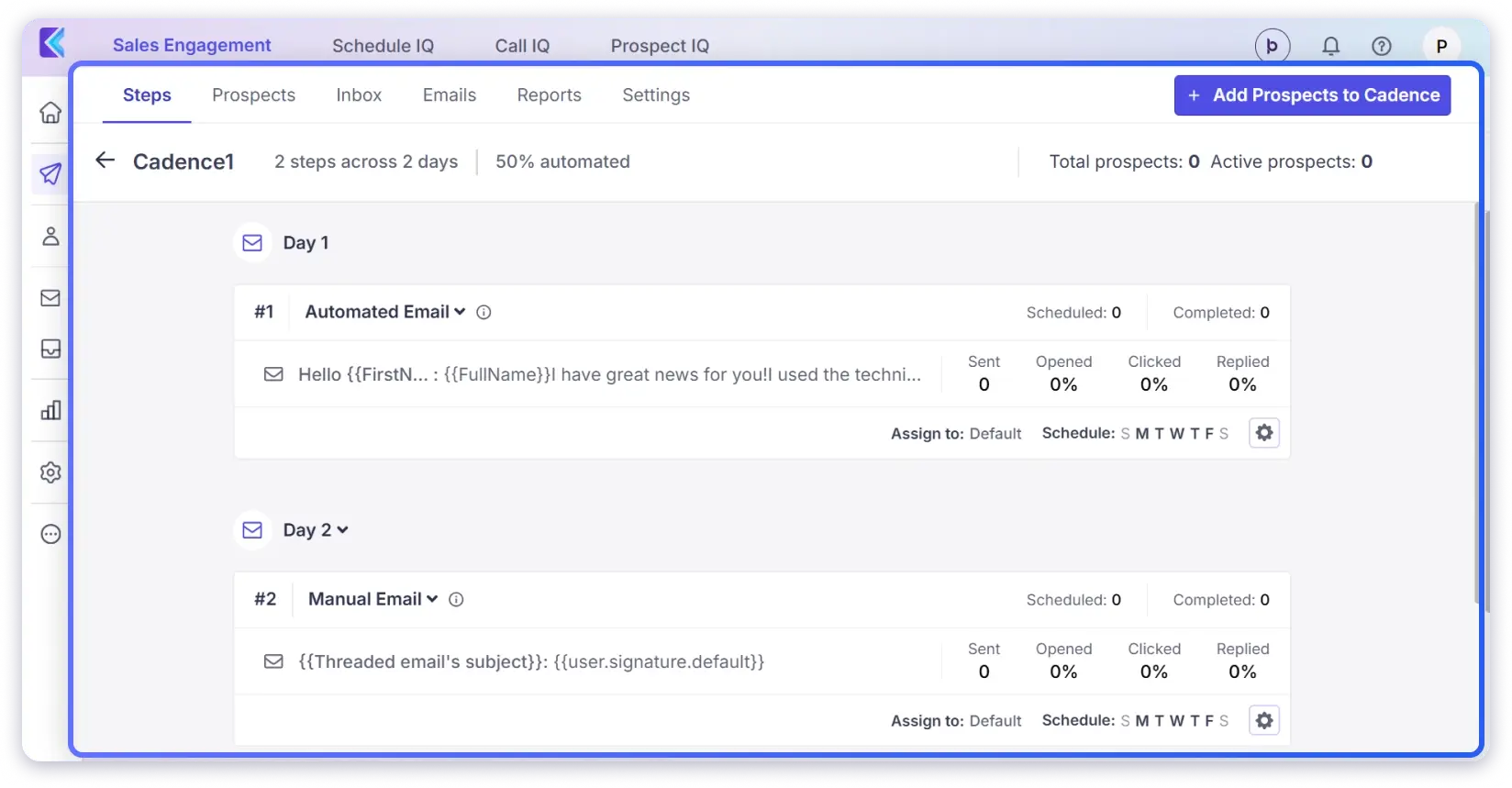
Why Do I Like Klenty
I like Klenty because it feels complete.
It finds new accounts, writes customized messages, and keeps inboxes healthy.
The best part? Its AI SDR researches accounts across 150+ data sources and builds your ICP list in seconds.
The AI tools handle research, list building, and writing, making campaigns more focused.
It automatically fixes deliverability issues before they affect your campaign performance.
With a database of 220M+ verified contacts, it’s an email outreach tool that gets you conversions.
Key Features
- Automate Email Sequences: Create personalized drip campaigns that help to send you custom emails and follow-ups based on your prospect’s response.
- AI-Powered Personalization: Generate hyper-personalized email sequences using AI insights about the prospect’s industry and company.
- Email Deliverability Suite: Get end-to-end deliverability setup, inbox warm-up, and email throttling with irregular sending patterns.
- Multi-channel Sequencing: Allows the creation of a multi-touch point email sequence with LinkedIn, SMS, and phone calls.
Strengths
- The platform offers multi-channel outreach (email, LinkedIn, SMS, and calls)
- It provides built-in CRM integrations with Salesforce, HubSpot, and Zoho
- Its AI-powered email writer helps to write hyper-personalized emails with proper messaging
- The reporting analytics are detailed and help to track all core element metrics
- The customer support is 24/7, which is responsive and reliable
Limitations
- Some users have reported that the interface is clunky and non-intuitive
- It has limited template customization when setting up cold email campaigns
- There have been issues of occasional bugs and disruption in the workflow of the ongoing campaigns
Pricing
- Starter plan starts at $50/month (billed annually)
- Includes 15,000 contacts, 75,000 monthly emails, unlimited inboxes, auto email rotation, and advanced analytics
- Higher tiers: Growth at $70/user/month, Plus at $99/user/month (billed annually)
Best Tools for Email Automation and Prospecting
These tools focus on finding verified emails first and then running automated drip campaigns to those contacts.
I put them in this category because their strongest value is the prospecting side: finding and verifying email addresses. The outreach features are there, but they are lighter compared to the dedicated cold email or sales engagement tools above.
9. Snov.io
G2: 4.5/5 ⭐ (460+ reviews)
Best For: Snov.io is best for small and mid-sized teams that need an all-in-one platform for cold outreach and lead generation.
Next in my list is Snov.io. It’s an all-in-one platform to find prospects and send cold emails.
You can find new prospects, verify emails, and launch automated campaigns that actually get replies.
Everything sits inside one easy-to-use dashboard that keeps your outreach organized.

Why Do I like Snov.io
I like how easy it is to create a campaign from scratch.
The sequence builder is easy to use, and setting up follow-ups takes just a few minutes.
Its built-in email finder and verifier help you reach the right people every time.
Apart from that, the AI writer and A/B testing tools make it easy to test and improve your emails without extra effort.
Overall, you get everything packed in a single tool that makes all your tasks in email outreach quick and easy.
Key Features
- Email Finder: Find verified email addresses individually or in bulk from domains, LinkedIn, or websites.
- Automated Email Campaigns: Create and manage drip campaigns with personalized sequences and add dynamic variables for hyper-personalization.
- LinkedIn Automation: Automate the complete process of prospecting on LinkedIn, from connecting and messaging to profile visits.
- Built-in CRM: Manage pipelines, deals, and contacts with the platform’s custom pipelines.
- Multi-channel Outreach: Combine email with LinkedIn touchpoints and phone outreach for proper prospect management.
Strengths
- It allows adding unlimited email accounts for outreach in all plans
- It offers a built-in CRM to manage sales pipelines, deals, and outreach
- The onboarding process is easy
- It has an AI email writing assistant to save time on the manual writing process
- It also has a LinkedIn Chrome extension to help you find leads
Limitations
- Some users have reported that the platform has a learning curve for advanced features
- It offers credit-based pricing, which might increase the cost while scaling
- Some users report that deliverability monitoring and A/B testing have limitations
Pricing
- Starter plan starts at $39/month (monthly) or ~$29/month (billed annually, 25% off)
- Includes 1,000 credits, unlimited senders, 5,000 recipients/month, unlimited campaigns, and LinkedIn automation
- Pro plans start at $99/month with higher sending volumes
You can read here about Snov.io alternatives to find the best platform that offers prospecting + email outreach at affordable pricing.
10. Hunter.io
G2: 4.4/5 ⭐ (650+ reviews)
Best For: Freelancers, recruiters, link builders, and small sales teams that need fast email discovery with simple outreach campaigns.
Hunter.io is one of the most recognized names in email finding. It has been around since 2015, and over 7 million users have used it to find and verify professional email addresses.
The core idea is simple. You type in a company domain, and Hunter returns the email addresses associated with it. That is what made it popular, and that is still what it does best.
But Hunter is not just an email finder anymore.
It now includes Sequences for sending cold emails, Discover for building B2B prospect lists, Signals for tracking intent data like hiring activity, and an AI writing assistant to help draft outreach emails.
Why Do I Like Hunter.io
I like Hunter because it keeps things clean and fast.
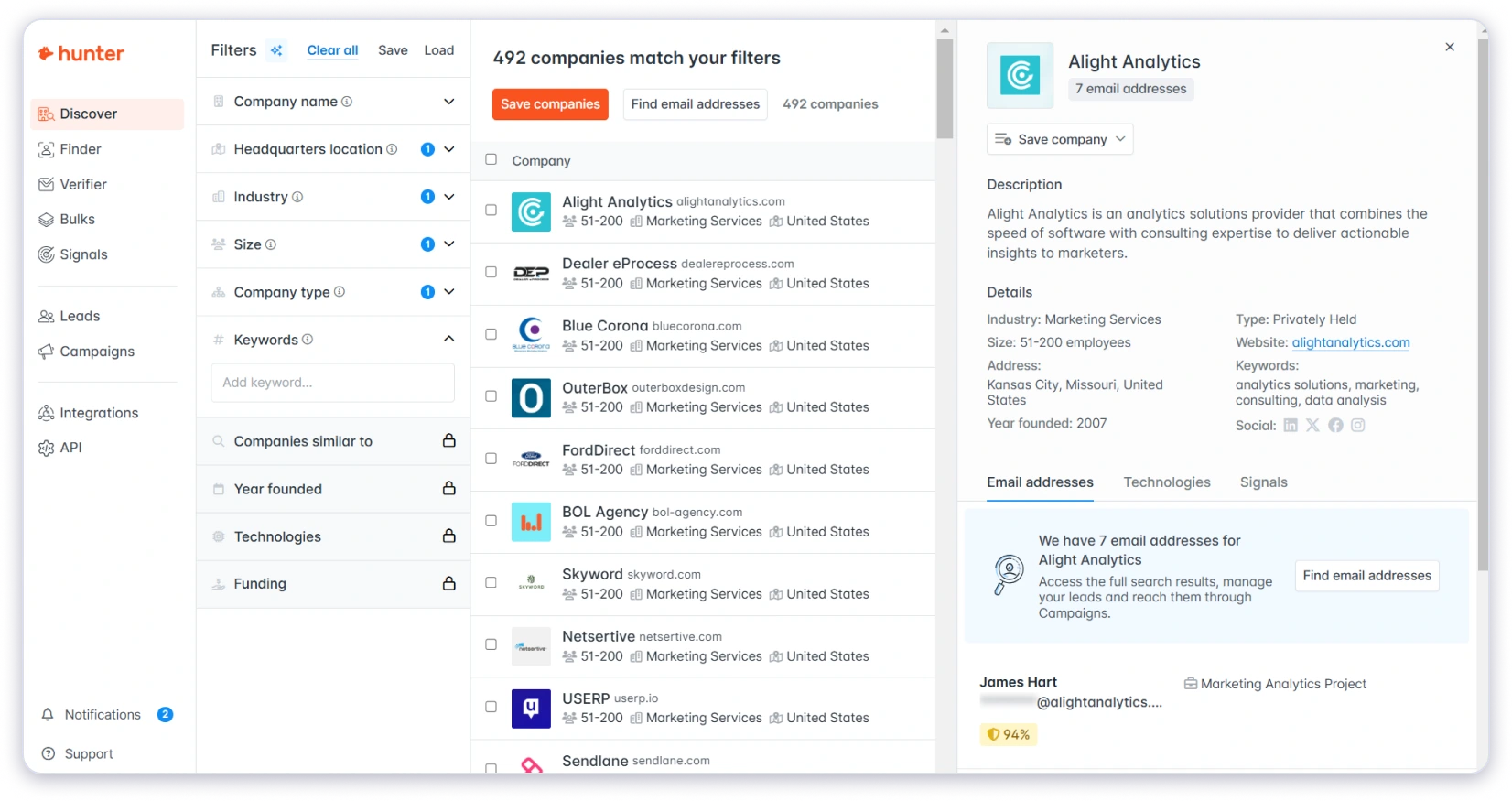
The Domain Search and Email Finder work exactly as expected. You enter a domain or a name, and you get verified results within seconds. The Chrome extension makes it even faster since you can pull email addresses directly from LinkedIn profiles or company websites without leaving the page.
The email verification is solid too. Hunter labels every result as valid, risky, or invalid, so you know exactly what you are working with before sending.
Where Hunter falls short is on the outreach side. Sequences exist, but they are basic compared to dedicated cold email tools. You can send cold emails and schedule follow-ups, but there is no warm-up, no sender rotation, and no advanced deliverability features. The number of connected email accounts is also limited based on your plan.
Think of Hunter as the best tool for the first half of outreach: finding and verifying the right email addresses. For the second half, sending at scale, you will likely need a dedicated outreach platform alongside it.
Key Features
- Domain Search: Find all publicly available email addresses linked to any company domain.
- Email Finder: Look up the email address of a specific person using their name and company.
- Email Verifier: Verify any email address with status labels (valid, risky, invalid, unknown).
- Discover: A B2B database to search for leads using ICP filters like industry, company size, and role.
- Signals: Intent data feature that surfaces companies showing buying signals through hiring or growth activity.
- Sequences: Send cold email campaigns with automated follow-ups, open tracking, and link tracking.
- AI Writing Assistant: AI-powered email drafting to create cold email copy faster (available on paid plans).
- Chrome Extension: Find emails from any website or LinkedIn profile in one click.
Strengths
- The email finding accuracy is consistently reliable for business domains
- Unlimited team members on all plans, including the free tier
- The Chrome extension works smoothly on LinkedIn and company websites
- A genuinely useful free plan with 50 credits per month for testing
- Clean API with solid documentation for developers and teams with custom workflows
- CRM integrations with HubSpot, Salesforce, and Pipedrive
Limitations
- The outreach features are basic compared to dedicated cold email platforms
- No email warm-up or sender rotation for deliverability
- Connected email accounts are limited (1 on free, 3 on Starter, 10 on Growth, 20 on Scale)
- Additional email accounts cost $10/month each beyond the included limit
- Credit-based pricing can get expensive at high prospecting volumes
Pricing
- Starter plan starts at $34/month (billed annually at $408/year)
- Includes 24,000 credits/year, 3 connected email accounts, advanced lead filters, AI Writing Assistant, and priority support
- Higher tiers: Growth at $104/month, Scale at $209/month (billed annually)
- Free plan available with 50 credits/month
How to Pick the Right Email Outreach Tool in 2026
Often, I notice most sales leaders, founders, and outbound teams choose an outreach tool based on features and pricing. That’s the wrong order.
In 2026, the rules have changed. Google and Microsoft are stricter about sender reputation. AI-generated emails are flooding inboxes. Privacy laws like GDPR and CAN-SPAM have real consequences. And buyers are more skeptical than ever.
So the tool that sends the most emails isn’t the winner anymore. But the real winner is the tool that lands in the inbox, keeps you compliant, and gives you accurate data.
I have put together 21 buying criteria ranked by how much they actually impact your outreach results.
Use this as a checklist before you commit to any platform:
Before You Buy an Email Outreach Tool, Ask These 5 Questions to Your Provider
Every outreach tool looks great on the pricing page.
But these five questions reveal what the pricing page doesn’t.
1. What’s the real cost at my expected volume?
The advertised price is rarely the final number. Add up the base plan, extra mailboxes, data credits, verification costs, AI credits, and additional users.
Some tools advertised at $30/month end up costing $150 or more once you add the modules a real outreach team needs.
2. Can I export my data if I leave?
If the answer is no, or if it’s complicated, that’s a red flag. Your contact lists, campaign data, and suppression lists are your business assets. They should not be locked inside a platform.
3. What happens when a sending account gets disconnected?
Your accounts get suspended. Domains develop reputation issues.
So, ask the vendor what their recovery process looks like and whether your other campaigns keep running while one account is down.
4. How does warm-up actually work?
Some tools offer warm-up as a checkbox feature but don’t explain the mechanics.
So, ask whether it uses a real inbox network, how long it takes to build reputation, and whether you can monitor warm-up health in real time.
5. Is the pricing per seat or flat?
Per-seat pricing scales linearly with your team size.
A 10-person team on a $50/user/month plan is paying $500/month before any add-ons. Flat-fee tools with unlimited users protect your margins as you grow.
If a vendor can’t answer these five questions clearly, that tells you something about how the relationship will go after you sign up.
Your Next Big Deal Starts With the Right Outreach Tool
By now, you know the best fit for your email outreach needs.
So let me wind this up with a final takeaway I want to share with you.
See, the right platform not only helps you send more emails. But it also allows you to find better prospects, protect your sender reputation, and turn replies into sales conversations.
This is where Saleshandy fits in. Instead of managing separate tools for lead generation, email sending, and deliverability, Saleshandy brings everything into one workflow.
So, you can find verified B2B contacts with Lead Finder, build personalized email sequences, manage multiple sender accounts, and improve inbox placement with features like Warm-up and Inbox Radar.
Plus, you get access to 852M+ B2B contacts, 50 FREE Lead Finder credits during the trial, unlimited email accounts, and multichannel outreach features starting at $34/month.
It’s an affordable and feature-rich cold email outreach tool on the market, trusted by 25,000+ teams globally.
So WHY wait? Start with a free trial, test your campaigns, and see if Saleshandy matches your outreach workflow.
FAQs Outbound Teams Often Ask Me About Email Outreach Tools
1. What Is Email Outreach?
Email outreach is the process of contacting people through email to start a business conversation, build relationships, generate leads, or create sales opportunities. It can include cold emails sent to potential customers who have not interacted with your business before.
2. What Is Cold Email Software?
Cold email software is a tool that helps businesses find prospects, create email campaigns, send personalized emails, automate follow-ups, and track replies. It also includes features like email warm-up and deliverability monitoring to improve inbox placement.
3. Is Cold Emailing Legal?
Yes, cold emailing is legal when done correctly. Businesses must follow email laws like CAN-SPAM in the US and GDPR in Europe. This includes sending relevant messages, identifying the sender, and providing an option to unsubscribe where required.
4. How Is Email Outreach Software Different From Email Marketing Software?
Email outreach software is designed for one-to-one sales conversations with prospects, usually through personalized cold emails and follow-ups. Email marketing software is mainly used for sending newsletters, promotions, and updates to people who have already subscribed or engaged with a brand.
5. Which Is the Best Free Cold Email Software?
The best free cold email software depends on your needs. Most platforms offer free trials or limited free plans to test features like email sending, automation, and lead generation. For example, Saleshandy offers a 7-day free trial with 50 free Lead Finder credits to help users test cold email outreach workflows.
6. What Are the Email Outreach Best Practices?
The main email outreach best practices are:
- Target the right audience with accurate contact data
- Personalize emails based on the prospect
- Keep emails short and focused on value
- Use proper email authentication like SPF, DKIM, and DMARC
- Warm up new email accounts before sending at scale
- Monitor deliverability and reply rates regularly
7. Can I Fully Automate Cold Email Campaigns?
Yes, you can automate most parts of a cold email campaign, including prospect lists, email sequences, follow-ups, scheduling, and reply tracking. However, strategy, targeting, personalization, and campaign optimization still require human input.
8. How Many Cold Emails Should I Send Per Day From a New Domain?
A new domain should start with a low sending volume and gradually increase over time. Many teams start with around 5-10 emails per mailbox per day and slowly scale after building sender reputation.
9. What Reply Rate Should I Expect From Cold Email Outreach?
Cold email reply rates vary based on factors like targeting, offer, industry, list quality, and personalization. A well-targeted campaign often sees reply rates between 1% and 10%, but there is no guaranteed benchmark for every campaign.
![13 Best Email Automation Tools & Software in 2026 [Tried & Tested]](https://www.saleshandy.com/blog/wp-content/uploads/2025/12/Best-Email-Automation-Tools.webp)
 Piyush Patel